
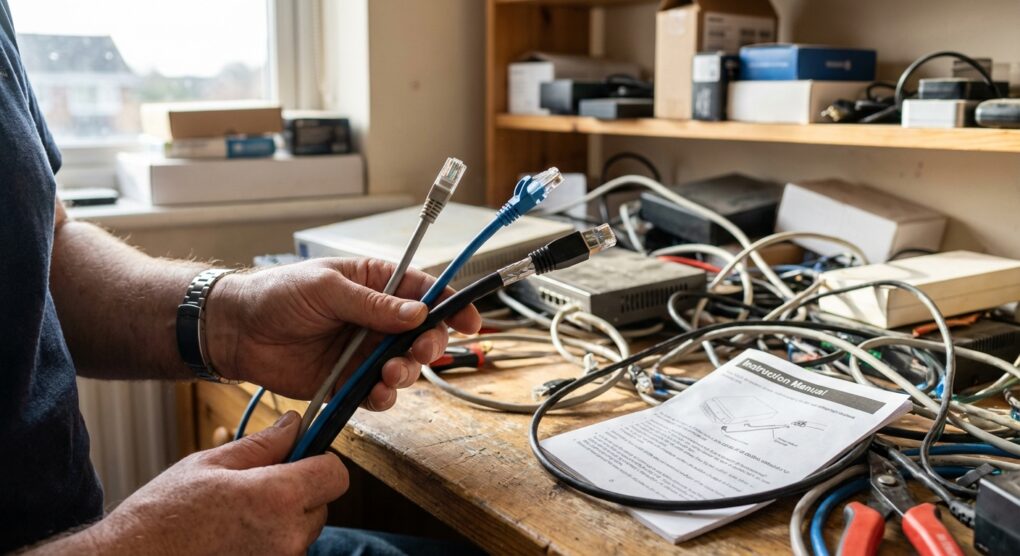
I was recently on-site helping a small design firm migrate their network infrastructure to a new office space. The client, enthusiastic but a bit misguided, had taken it upon himself to pre-purchase what he thought were “top-tier” Ethernet cables. He proudly unboxed a mix: some bargain-bin Cat5e for desktop drops and, for his new 10GbE server connection, a reel of gleaming, thick Cat7. He couldn’t understand why his expensive new network cards weren’t consistently hitting anywhere near 10Gbps, even for short runs. It was a classic case of not understanding that a cable’s category isn’t just about a number; it’s about a complex interplay of bandwidth, shielding, and very real distance limitations.
Most folks, especially when they’re not knee-deep in networking gear every day, tend to look at the speed rating on the box and think “higher number, better performance.” They assume a Cat7 cable will automatically give them the fastest network, regardless of the equipment it’s connected to. But it’s rarely that simple. Cable categories define a standard for bandwidth and frequency support, which in turn dictate maximum theoretical speeds and reliable distances. Just plugging in a higher category cable doesn’t magically upgrade your network beyond the capabilities of your switches, NICs, or even the connectors you’re using. My approach has always been to match the cable to the actual, measured need, considering current throughput and a realistic view of future growth, not just throwing money at the highest number available.
Understanding the Categories
When I break this down for clients, I focus on the practical implications of each category. Forget the marketing fluff; here’s what reliably works and why.
Cat5e (Category 5e)
- Speed: Reliably supports 1 Gigabit per second (1 Gbps or 1000BASE-T) over its full length.
- Bandwidth: Rated for 100 MHz.
- Maximum Length: 100 meters (328 feet).
- Use Cases: This is your workhorse for most home networks, older office setups, and any application where 1 Gbps is sufficient. It’s also perfectly fine for Power over Ethernet (PoE) applications.
- My Take: It’s cheap, plentiful, and gets the job done for 90% of basic networking needs. Don’t underestimate it. If your internet is 500 Mbps, Cat5e is all you need for your home.
Cat6 (Category 6)
- Speed:
- 1 Gigabit per second (1 Gbps) up to 100 meters.
- 10 Gigabit per second (10 Gbps or 10GBASE-T) up to 55 meters (180 feet). This is the crucial distinction for many.
- Bandwidth: Rated for 250 MHz, double that of Cat5e.
- Maximum Length: 100 meters for 1Gbps, but only 55 meters for 10Gbps. Beyond that, performance degrades rapidly.
- Features: Cat6 cables often have tighter twists and sometimes include a nylon spline (a rigid plastic cross-separator) in the middle to reduce crosstalk and improve signal integrity.
- Use Cases: A solid choice for newer home networks, small offices, and especially for server racks or short runs where you need 10Gbps connectivity. It strikes a good balance between cost and performance for modest 10GbE deployments.
- My Take: A practical upgrade from Cat5e if you’re building a new network or upgrading. Just be very mindful of that 55-meter limitation for 10Gbps. If you need 10Gbps over longer distances, you’ll need Cat6a.
Cat7 (Category 7)
- Speed: Rated for 10 Gigabit per second (10 Gbps) up to 100 meters. Theoretically, it can support much higher speeds (up to 100 Gbps), but these aren’t ratified for common Ethernet twisted-pair applications over long distances.
- Bandwidth: Rated for 600 MHz.
- Features: The key difference here is shielding. Cat7 cables use individually shielded pairs (S/FTP – Shielded Foiled Twisted Pair) and an overall shield, providing superior noise reduction and performance in electrically noisy environments.
- Connectors: This is where it gets tricky. Cat7 was designed to work with non-RJ45 connectors like GG45 or TERA, which offer better performance characteristics than the venerable RJ45. While you can find Cat7 cables terminated with RJ45 connectors, you won’t get the full performance benefits and might even run into compatibility headaches with standard RJ45 ports if the cable is not manufactured to strict interoperability specifications.
- Use Cases: Data centers, high-performance computing, or specialized industrial environments where extreme EMI/RFI shielding is paramount.
- My Take: For most typical LANs, Cat7 is almost always overkill and often misunderstood. It’s significantly thicker, stiffer, and more expensive. Unless you have a very specific, high-interference environment and are prepared to deal with specialized connectors and installation, stick to Cat6 or Cat6a.
Choosing Your Cable
Here’s how I typically approach cable selection:
- Identify Your Current Network Speed: Check your internet service speed, your router’s LAN port speeds (e.g., 1 Gbps, 2.5 Gbps), and your network card capabilities. There’s no point in a Cat7 cable if everything else is 1 Gbps.
- Consider Future Needs (Realistically): Are you likely to upgrade to 10 Gbps in the next 3-5 years? If so, consider Cat6 for short runs or Cat6a for runs up to 100 meters. Don’t plan for 400 Gbps unless you’re building a new data center.
- Measure Your Cable Runs: This is critical. If your 10GbE run is only 20 meters, Cat6 is perfectly fine. If it’s 70 meters, you absolutely need Cat6a.
- Evaluate Your Environment: Is your cable going to run alongside power lines, motors, or other sources of electromagnetic interference (EMI)? If so, a shielded cable (like Cat6 shielded or Cat6a shielded) might be beneficial. For most homes, unshielded (UTP) is perfectly adequate.
- Check Your Connectors: Most equipment uses standard RJ45. If you’re going with Cat7, remember the GG45/TERA caveat. For anything else, ensure your wall jacks, patch panels, and switch ports are compatible with the cable category you choose.
Things people often get wrong
I’ve seen my fair share of head-scratchers over the years, and a few common mistakes pop up repeatedly when it comes to Ethernet cables.
- Ignoring Length Limitations for 10Gbps: The biggest one, by far. People buy Cat6 thinking “10 Gig,” completely missing the fact that its 10Gbps performance drops off a cliff after 55 meters. That’s a deal-breaker for many longer office runs. If you need 10Gbps reliably over 55 meters, go straight for Cat6a.
- Assuming Cat7 is Just “Better Cat6”: Nope. Cat7’s primary advantage is its intense shielding and higher frequency rating, designed for specific, high-interference scenarios, and intended for different connectors (GG45/TERA). Using a Cat7 cable with standard RJ45 connectors usually means you’re paying a premium for features you can’t fully utilize, and you might even introduce compatibility issues due to its stiffness and connector design. For 10Gbps over 100m with RJ45, Cat6a is the standardized and practical choice.
- Over-spending on Overkill Cables: Buying Cat7 or even Cat6a for a network that’s entirely 1 Gigabit is a waste of money. The cable won’t make your 1 Gigabit switch or internet connection any faster. Allocate those funds elsewhere, perhaps to better switches or a proper firewall.
- Poor Termination: Even the best cable can perform poorly if the connectors aren’t terminated correctly. Too much untwisted wire at the end, bent pins, or bad crimps will degrade performance significantly. This is especially true for higher category cables with tighter twist rates.
I remember one of my first big network installs for a client, early in my career. I was running a new 10GbE backbone between a server room and a comms cabinet about 70 meters away. I meticulously pulled a reel of Cat6, carefully dressed it, and terminated everything perfectly. I knew Cat6 supported 10GbE, but I completely overlooked the specific distance limitation. After hooking everything up, the link was intermittently dropping, negotiating down to 1Gbps, or refusing to come up at all under load. I spent half a day troubleshooting the brand-new switches and NICs, convinced they were faulty. It wasn’t until I pulled out the TIA/EIA spec sheet and saw that “up to 55m for 10Gbps” clearly stated for Cat6 that the penny dropped. I had to pull the entire run and replace it with Cat6a. That day cost me time, money, and a healthy dose of humility, but I never forgot that lesson.
Ultimately, choosing the right Ethernet cable means understanding the actual requirements of your network, not just chasing the highest number on the box.