
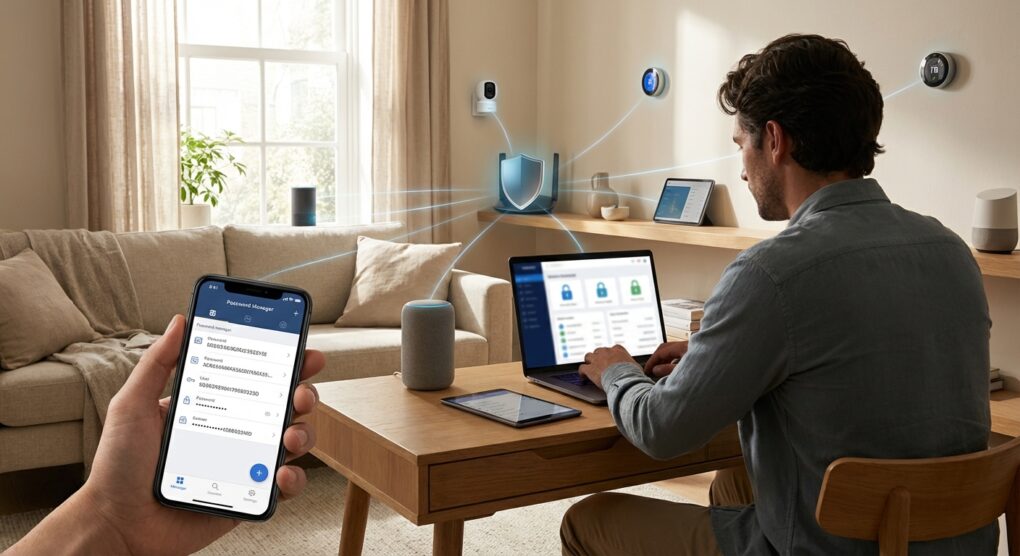
I swear, every time I buy a new smart plug or a Wi-Fi-enabled coffee maker, I assume I’m adding another insecure Linux server running a three-year-old kernel to my home network. Your cheap IoT device is not designed for security; it’s designed to be cheap and constantly phone home to a server in who knows where. If one of these $15 pieces of plastic gets compromised—and it will—the attacker can pivot through your network straight to your desktop PC or your NAS where you keep your tax documents. My philosophy for smart devices is simple: treat them like a plague and lock them away. I call this the “Leper Colony” network strategy. Here is how I set up my home network to survive the onslaught of insecure smart devices.
Why One Wi-Fi Network Is a Disaster
Most home networks are a flat playground. That means if your phone can talk to your laptop, it can also talk to your smart doorbell. The reason this standard setup doesn’t work is because the firmware on a cheap Chinese camera is probably older then my first computer. The hardware vendor stops patching it the day they ship it. If that camera gets hacked, the attacker is now inside your network, scanning for known vulnerabilities on your PC. I once forgot to isolate the VLAN for my smart light bulbs, and they were chatting happily with my NAS, which was a ridiculous security flaw. Network segmentation is the only fix: you must separate your untrusted, cheap devices (the Leper Colony) from your trusted, sensitive devices (your workstations and servers).
The How-To: Isolating the Plague
You need to create a dedicated network for every piece of hardware that doesn’t hold personal data but requires internet access (thermostats, bulbs, cameras, vacuum cleaners). I use two primary methods, depending on the gear available.
1. The Guest Network “Dirty” Fix (The Simplest Route)
If your router is a basic consumer model, it likely supports a Guest Network. This is the easiest separation method, but it is not perfect.
- Go into your router’s administration panel (usually
192.168.1.1). - Enable the Guest Wi-Fi network.
- Crucially, look for a setting called Client Isolation or Allow guests to see my local network. You must ensure this is Disabled or Unchecked. This prevents the devices on the guest network from talking to your main devices.
- Migrate all smart plugs, smart speakers, security cameras, and printers over to this new Guest Wi-Fi SSID.
I keep my phones, laptops, and my NAS exclusively on the main, trusted Wi-Fi. The devices on the guest network can only access the internet; they cannot ping or access my PC’s file shares.
2. Password Hardening and Zero-Trust
Most IoT devices ship with laughably weak default passwords (admin/1234, or the last eight digits of the MAC address). Scanners constantly probe known default credentials. You have to change them immediately.
- Use a dedicated, complex password (30+ characters) for the Guest/IoT Wi-Fi SSID.
- Do not reuse your main Wi-Fi password. Ever.
- For any device that has a web interface (like a camera or router), log in and change the administrative password right away. I use a dedicated vault in my password manager for my IoT device credentials.
3. Blocking Outbound Traffic (DNS Filtering)
Once the device is isolated, you need to monitor what it’s calling. Most cheap devices constantly send telemetry data back to China or Eastern Europe. I use Pi-hole or NextDNS to act as a blackhole for known bad domains.
- Point your router’s DNS settings to your Pi-hole IP or the NextDNS servers.
- Install the logging tool and watch the logs for 24 hours.
- You will see your smart light bulb trying to communicate with domains like
metrics.devicevendor.cn. - Block these domains. If the light bulb still turns on and off locally (which it should), then blocking the telemetry traffic is the right thing to do. If it breaks the device functionality, you know that the device is a data leech and should be unplugged entirely.
4. Disabling UPnP (The Firewall Killer)
Universal Plug and Play (UPnP) is a security disaster. It allows devices on your network to punch holes through your firewall without asking for permission. It’s supposed to make game consoles and cameras easier to set up, but it’s exploited constantly. I disable UPnP on every router I install. If my gaming PC needs a port opened, I manually configure a static firewall rule for that specific machine. I never let a $30 smart thermometer automatically open a port to the public internet.
Common mistakes
The “Firmware Update” Lie
I had a client with a cheap smart TV that was constantly trying to talk to a defunct server. We found a critical vulnerability in the device’s Samba server. The manufacturer hadn’t issued a patch in four years. If you buy the cheapest thing on Amazon, you are relying on obsolete security. The security fix here is simple: if the manufacturer stops issuing firmware updates for a critical device (like a camera or hub), the device goes into the trash. The only firmware updates I trust are from major players like Apple, Google, or Ubiquiti, and even then, I trust them minimally.
Device Interoperability (The Apple/Google Trap)
I set up a strict Guest Network, but then the user complained their phone couldn’t stream music to the isolated smart speaker. That’s the drawback of isolation. The phone (on the Main Network) can’t talk to the speaker (on the Guest Network). The dirty fix here is enabling Multicast DNS (mDNS) or Bonjour forwarding on your router (if it supports it). This is a dedicated firewall rule that allows communication only for service discovery (like finding the speaker or printer) without allowing full IP access.
VPNs and Remote Access
I installed a camera system for a client who wanted to view the feed remotely. The vendor told them to open a specific port on the router. That is incredibly insecure. If you need remote access, set up a VPN (Virtual Private Network) on your router (like OpenVPN or WireGuard). That way, you connect your phone securely to your home network, and then you can view the camera privately. You don’t leave a wide-open port waiting for attackers to find.
IoT devices are built to be insecure; the only way to protect yourself is to assume every device is compromised and build a concrete moat around it using network segmentation and strict DNS filtering.