
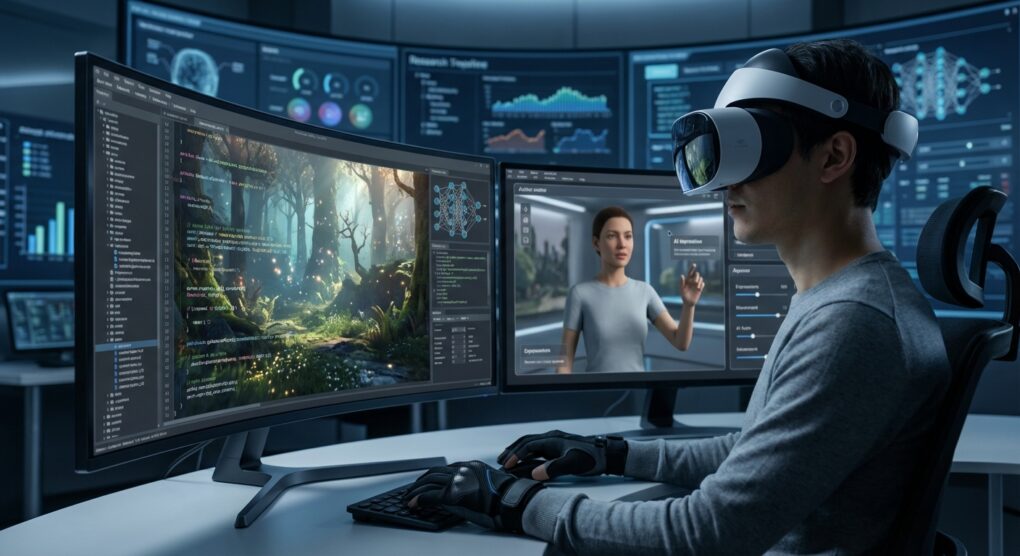
Most VR worlds are just expensive, 3D PowerPoint presentations. You walk around, look at the same five static objects, and every NPC you talk to cycles through a finite, predictable dialogue tree. That is the fundamental limit of traditional scripting—it doesn’t scale past the developer’s ability to hand-write thousands of “if/then” statements. When I first got into VR development, I was stuck trying to build branching narratives using nothing but state machines, and the final experience felt sterile and cheap. The real trick to building an “immersive” world is offloading the complexity of reality—the chaos, the randomness, the human factor—to an external intelligence. AI isn’t just about pretty pictures; it’s about solving the problem of predictable behavior.
Why Traditional Logic Is a Dead End
The standard way to make an NPC move or speak is through a Finite State Machine (FSM). The NPC is in a state (e.g., “Patrolling”), and transitions to another state (e.g., “Alerted”) based on a hardcoded trigger (e.g., “Player is within 5 units”). FSMs are deterministic, easy to debug, but they are rigid. If the player does something the FSM wasn’t programmed for, the AI breaks character and does something stupid, ruining the immersion. The only solution is to introduce Emergent Behavior, which is what LLMs and reinforcement learning are good at. We are trading 10,000 lines of predictable C# code for a centralized, dynamic model that generates actions and responses on the fly.
The How-To: Integrating the AI Backend
You can’t just slap a ChatGPT API call into Unity’s main loop and call it a day. VR has strict latency requirements; if the NPC takes 500ms to respond, it feels broken. You have to treat the AI integration like a tightly optimized network service.
1. The Data Pipeline (VR Telemetry)
The first job is feeding the AI relevant, low-latency data without crashing the headset’s framerate.
- Asynchronous Capture: Use the engine’s built-in functions to capture the player’s Gaze Vector (what they are looking at) and their Movement Speed. This must be done on a separate thread (asynchronously) from the main rendering loop to avoid frame drops.
- Event Triggering: I don’t send every millisecond of data to the AI. That’s a waste of bandwidth and context space. I only trigger the communication on specific events: Player speaks, Player enters a new zone, or Player stands still and stares at the NPC for more than three seconds (the “awkward staring” trigger).
- Optimization: Before shipping the data packet, quantize the non-critical data. For instance, you don’t need the player’s position accurate to six decimal places; two decimals are usually enough to save bandwidth.
2. Dynamic Dialogue via LLM API
This is where you bring the NPC to life. You are managing the conversation’s context window—the AI’s short-term memory—to ensure it doesn’t forget who the player is or what they were talking about 30 seconds ago.
- The System Prompt: This is your config file. I create a prompt template that strictly defines the NPC’s persona, its current emotional state, and three key facts about the game world. If the world is about space pirates, the prompt starts: “You are Captain K’Tharr. You are paranoid. You are currently looking for a plasma capacitor.”
- Context Management: I use a simple dictionary in the game engine to hold the last five turns of dialogue (User: [X], Bot: [Y]). Before the user speaks, I package that dictionary into the prompt payload. I once forgot to cap the context window, and the API cost for a single 15-minute VR session went through the roof. Cap your context at 4096 tokens, regardless of what the model supports; it keeps the cost and latency down.
- Speech Synthesis: When the AI returns the text, pipe it into an optimized TTS (Text-to-Speech) library (like ElevenLabs or the engine’s built-in option). I avoid trying to sync complex lip movements to AI-generated dialogue; it adds too much latency. Simple audio playback is better than a 500ms delay.
3. Integrating Reinforcement Learning for Movement
For enemies or environmental hazards, LLMs are too slow. I use Reinforcement Learning (RL) agents, which run locally. RL agents are trained offline to optimize a specific goal (e.g., “Minimize damage taken,” or “Reach the player using the shortest path”).
- Unity ML-Agents: This is the go-to dirty fix. It integrates Python RL libraries directly into the Unity engine. I design the Reward Function—the logic that dictates success—so that the agent learns the behavior I want. For example, rewarding the enemy for “seeing” the player and penalizing them for “getting stuck on a wall.”
- Policy Export: Once the agent is trained (which can take days on a separate compute box), I export the trained “policy” as a small file. This file runs locally on the headset’s limited CPU, providing lightning-fast, emergent movement without needing any external API calls.
Typical issues
The Latency Killer
VR needs a refresh rate of at least 72Hz. If your round-trip time (Player Input -> LLM -> TTS -> Audio Playback) is over 400ms, the player feels like the NPC is ignoring them. If you are using an external API, always test the latency of the closest regional server. If it’s slow, sacrifice the complexity of the response for speed; give the model less context to process, or use a cheaper, faster model (like GPT-3.5 turbo) for dialogue and save the expensive one for complex world generation.
The Context Window Overflow
This is when the AI forgets the player’s name or the plot point they just discussed five minutes ago. Your context management system failed. When debugging, I check the raw token count being sent. If the conversation goes silent mid-way, it usually means the AI hit its token limit and silently truncated the beginning of the chat. The fix is aggressive summarization: after every fifth turn, I send a separate, quick API call asking the AI to “Summarize this conversation into three key points,” and I use that summary to replace the old, verbose history in the context payload.
Hallucination and Lore Corruption
The AI knows everything, which is why it constantly lies about your game world. I set up a system for a historical VR tour where the AI, when asked a question about a Roman temple, confidently invented a Latin phrase that didn’t exist and attributed it to Julius Caesar. The fix: RAG (Retrieval-Augmented Generation). Don’t let the AI use its knowledge. Set up a secure database containing only your game lore, NPC biographies, and quest lines. Force the LLM to search that database first before generating a response. If the information isn’t in your database, the system prompt must instruct the AI to reply, “I don’t have enough data on that subject,” or “That information is classified.”
VR and AI are just tools; the trick is minimizing the latency and capping the cost so the system is both functional and cheap enough to actually run.